Instant workspace manager for temporary experiments
try-rs logo

Your experiments
deserve a place.

A lightning-fast TUI to manage temporary projects. Create, explore, and clone repositories instantly without cluttering your system.

cargo install try-rs
Get Started
tassiovirginio@rust-box: ~/projects/try-rs
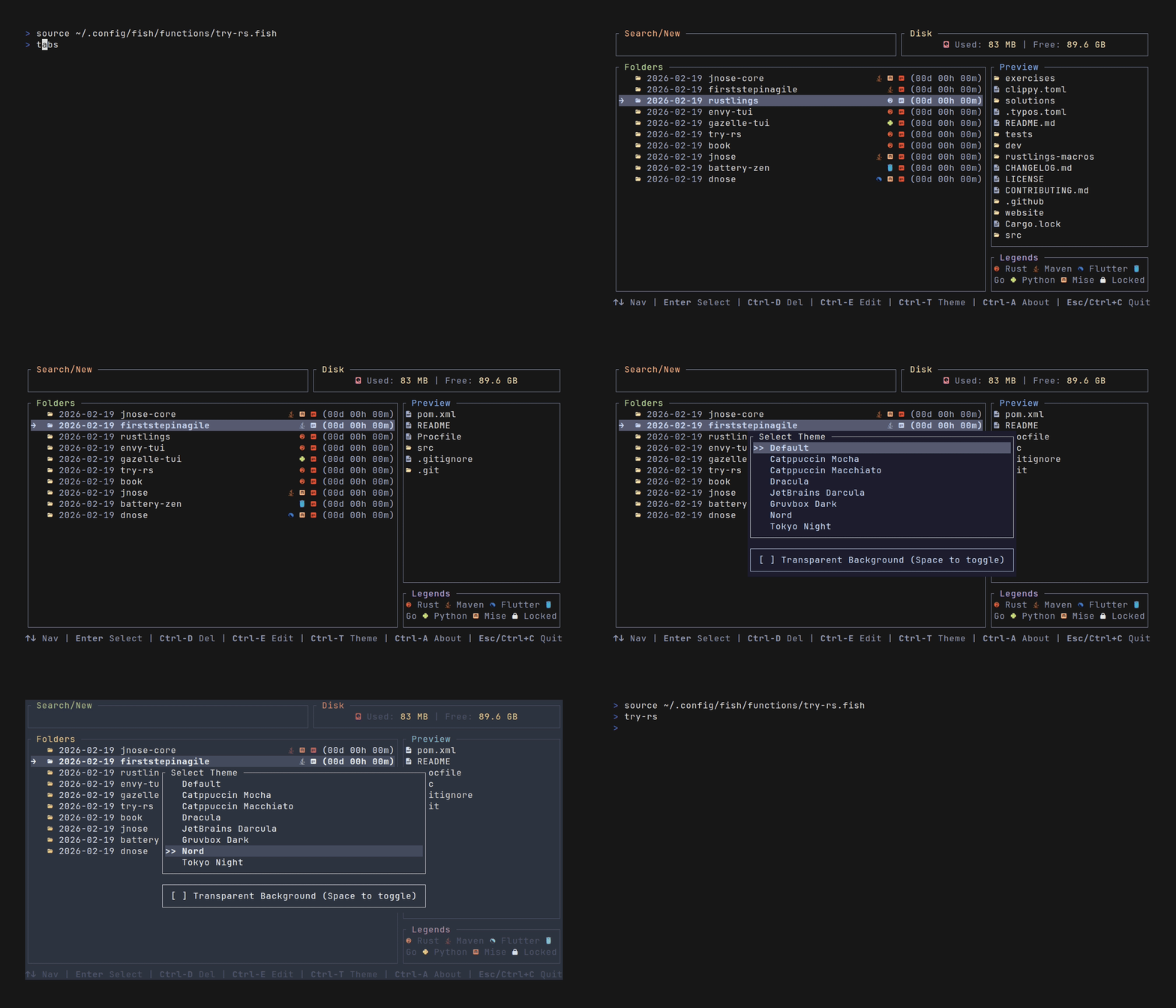
try-rs TUI Demo

CLI Commands

You can also bypass the UI and use direct commands:

Command Description
try-rs Opens the TUI interface.
try-rs <name> Create (or jump to) a named experiment.
try-rs <url> Clones a repository into a dated folder.
try-rs <url> <name> Clones a repository into a specific custom folder name.
try-rs -s <url> Shallow clone (depth 1) for fast experiments.
try-rs -w <name> Create a git worktree from current repository.
try-rs --setup <shell> Setup shell integration (fish, zsh, bash, power-shell, nu-shell).
try-rs --version Show application version.
try-rs --help Show help message.

Features

Everything you need to manage temporary project sandboxes.

Blazing Fast

Built in Rust, compiled to native binary. No interpreter lag.

Rich TUI

Beautiful terminal interface built with Ratatui.

Fuzzy Search

Instantly find old experiments with smart matching.

Auto-Dating

Creates directories like rust-test automatically.

Git Integration

Auto-clones URLs (try-rs <url>) and marks repos with ().

Content Preview

Inspect files inside a folder before entering it.

Editor Integration

Open experiments directly in your editor (Ctrl+E).

Theming

Switch themes at runtime (Ctrl+T) or customize via config.

Safe Deletion

Delete old experiments via UI with confirmation (Ctrl+D).

Configurable

Supports XDG Base Directory standards.

Multi-Shell Support

Supports Fish, Zsh, Bash, Power Shell and Nushell.

Multi-OS Support

Native performance on Linux, macOS and Windows.

Icons Identification

Supports project identification icons:  󰬔     

Built-in Themes

Switch themes on the fly inside the app with Ctrl + T.

Catppuccin Mocha
Catppuccin Macchiato
Dracula
JetBrains Darcula
Gruvbox Dark
Nord
Tokyo Night
One Dark Pro
Everforest
SynthWave '84
OLED True Black
Silver Gray
Black & White
Matrix
Tron

Key Bindings

Master the interface with these lightning-fast shortcuts.

Filter the list (Fuzzy Search) Type
Navigate the list
Ctrl+K/J/P/N
Clear the search box Ctrl+U
Select or create new Enter
Delete directory (popup) Ctrl+D
Open in editor Ctrl+E
Open theme selector Ctrl+T
Open about popup Ctrl+A
Cancel / Close Popup / Exit
Esc Ctrl+C

Configuration

Customize your playground via config.toml.

Linux
~/.config/try-rs/config.toml
macOS
~/Library/Application Support/try-rs/config.toml
Windows
%AppData%\try-rs\config.toml

ENV VARS

  • TRY_PATH Workspace storage path
  • TRY_CONFIG_DIR Custom configuration directory
  • TRY_CONFIG Custom configuration filename

FEATURES HINT

Configurable via config.toml to set your default editor, custom colors for different file types, and behavior of the fuzzy finder.

Install Now

Installation Command
$ cargo install try-rs

Requirements: cargo (Rust toolchain) installed.

Developed with Rust logo Rust Language
Powered by Ratatui logo Ratatui Library